Stop Struggling with
Manual Backtesting
See how BacktestPilot turns MetaTrader research from a nightmare into a clean workflow.
Sound Familiar?
These are the real problems serious MT4/MT5 researchers face — and why they switch to BacktestPilot.
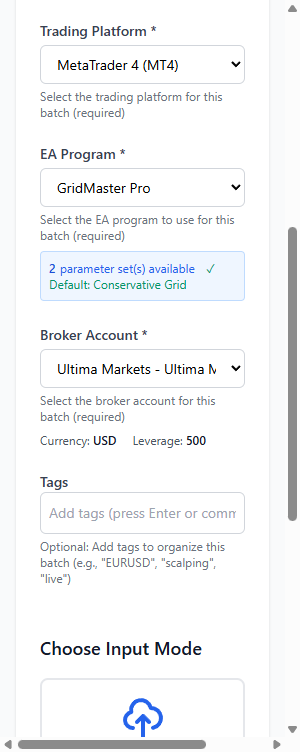
Creating many backtests one by one is too slow
To test 10 symbols you open 10 terminals and click through the same setup again and again. It is boring, error-prone, and wastes time before the real waiting even starts.
BacktestPilot Solution
Use an easy wizard or CSV import to create a large batch of jobs in a few clicks.
Managing multiple terminals is a nightmare
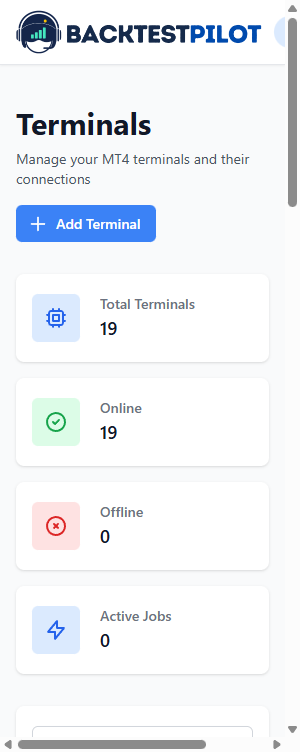
When many terminals are running, Windows only shows the same MT4/MT5 icons. You cannot tell which is testing EURUSD vs XAUUSD until you open each window.
BacktestPilot Solution
See which terminal is busy or idle, and which symbol, EA, and job each one is running — no more guessing from identical taskbar icons.
You cannot fully use your terminals without a smart queue
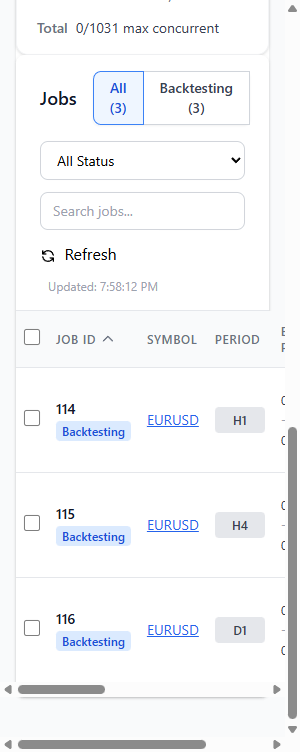
Even with 10 terminals, your research list can be 100, 500, or 1,000+ jobs. Manually assigning the next job every time a terminal finishes is another full-time job.
BacktestPilot Solution
Create a large job pool (even 1,000+ jobs). The queue auto-assigns the next job whenever a terminal finishes.
Valuable results are easy to lose or mix up
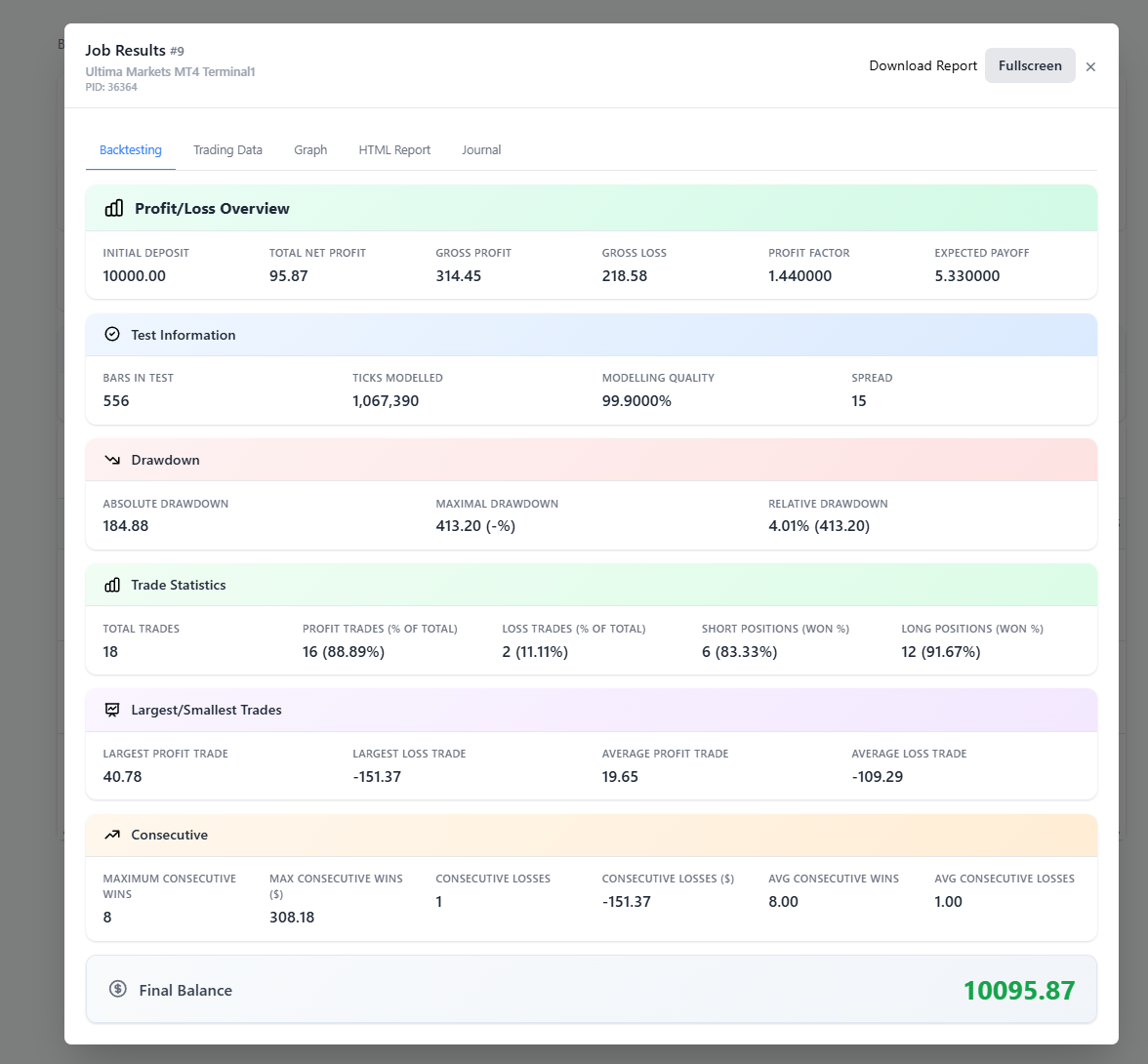
Optimization reports may miss input parameters. You copy into Excel, save HTML by hand, and hope folders stay organized. One wrong save and weeks of waiting become useless.
BacktestPilot Solution
When each local backtest finishes, results auto-upload to the cloud — organized, searchable, and reviewable on phone or desktop.
Putting It Together
The simple BacktestPilot research flow
Create jobs
Use the wizard or CSV import in the web app.
Connect the agent
Install the lightweight BacktestPilot Agent on your MT4/MT5 machine.
Smart queue
Idle terminals automatically pick up the next job.
Run locally
Backtests execute on your own terminals — not cloud compute.
Auto-upload
Results land in cloud storage for safe long-term access.
Feature Comparison
See how BacktestPilot stacks up against the alternatives.
| Feature | Manual MT4/MT5 | Excel Tracking | BacktestPilot |
|---|---|---|---|
| Create many jobs without repeating setup | |||
| Terminal fleet visibility | |||
| Smart job queue auto-dispatch | |||
| Auto-save HTML reports & journals | |||
| Optimization pass + parameter storage | |||
| Reuse top passes as new backtests | Basic | ||
| Cloud result archive | |||
| Search past results | |||
| Access results from any device | |||
| Requeue when a terminal drops |
Built for Serious MetaTrader Research
Less clicking. Less confusion. More strategy thinking.
Ready to Make the Switch?
Design the research plan once, let your terminals keep working, and keep every result safely archived.