Backtests run on your PC via the BacktestPilot Agent — Strategy Tester stays local. Cloud is for job design and result archive only.
Run 100+ Backtests
Without Lifting a Finger
256-bit Encryption
Bank-level security
Secure Data Storage
Credentials encrypted at rest
Cloud Backup
Automatic daily backups
24/7 Support
Always here to help
Run 100+ Backtests While You Sleep
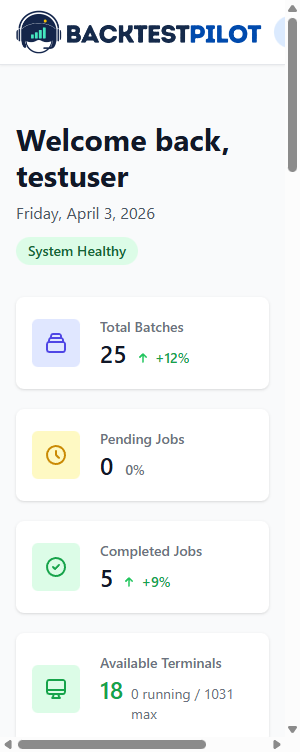
Every completed job automatically uploads to the cloud. Access your backtest results anytime, anywhere - on your phone or desktop.
Live Demo
Job Queue
Pending: 8
Terminals
Running: 3
Auto-Dispatch
When any terminal finishes, the next job starts automatically. No waiting, no gaps.
Fault Tolerant
If a terminal goes offline, jobs are reassigned to available terminals immediately.
Real-Time Progress
Watch your jobs progress through the queue in real-time. Always know what's happening.
Cloud Auto-Sync
Every completed backtest is automatically and securely stored in the cloud. Access your results anytime, anywhere.
How It Works
Create Batch Jobs
Fill in parameters manually or import CSV file
Launch Batch
Submit all jobs to the queue. Our smart system handles the rest
Auto-Dispatch
Jobs are assigned to available MT4/MT5 terminals instantly
Cloud Auto-Sync
Results upload to cloud automatically when each terminal finishes
Access Anywhere
View, compare, and analyze all results on phone or desktop
The Old Way vs BacktestPilot
Manual backtesting is slow, error-prone, and hard to scale. We've built the solution.
The Old Way

- Manually launch each MetaTrader 4/5 backtest one by one in Strategy Tester
- Open and close MT4/MT5 terminals yourself between every job
- Copy HTML reports into Excel by hand — files vanish after reinstalls
- Optimization passes and EA parameters lost when MetaTrader is reinstalled
- Stuck at the desk waiting — no remote monitoring or mobile live trading
With BacktestPilot

- BacktestPilot Agent runs on your PC — Strategy Tester stays local on MT4/MT5
- Auto-opens and closes terminals and dispatches 100+ jobs in parallel
- Every backtest result auto-uploads to the cloud with full HTML reports
- Every optimization pass and EA parameter set saved forever
- Monitor the queue remotely and launch live trades from mobile in 3 taps
Everything You Need
Features for MetaTrader 4/5 research on your PC — local Strategy Tester, cloud job design and archive
Batch Backtesting
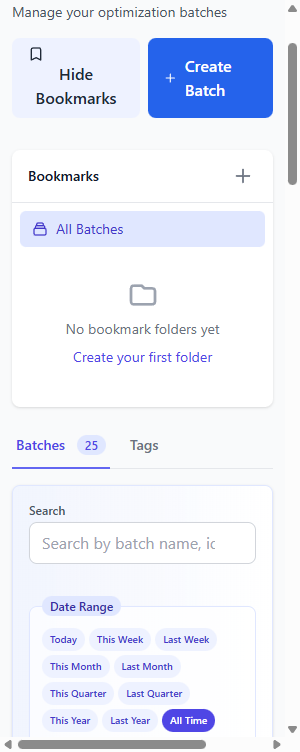
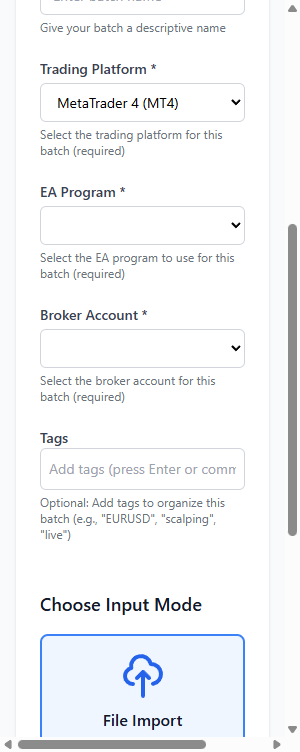
Run hundreds of MT4/MT5 backtests in parallel on your local terminals. CSV import for bulk job creation across your pool.
Loading screenshot...
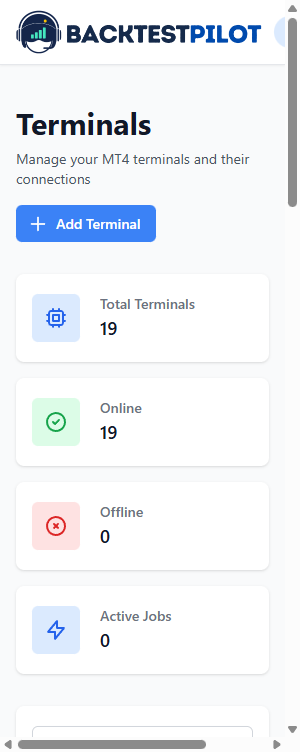
Smart Job Queue
Set it and forget it. The BacktestPilot Agent on your PC auto-opens and closes local MT4/MT5 terminals, captures results, and continues seamlessly.
Loading screenshot...
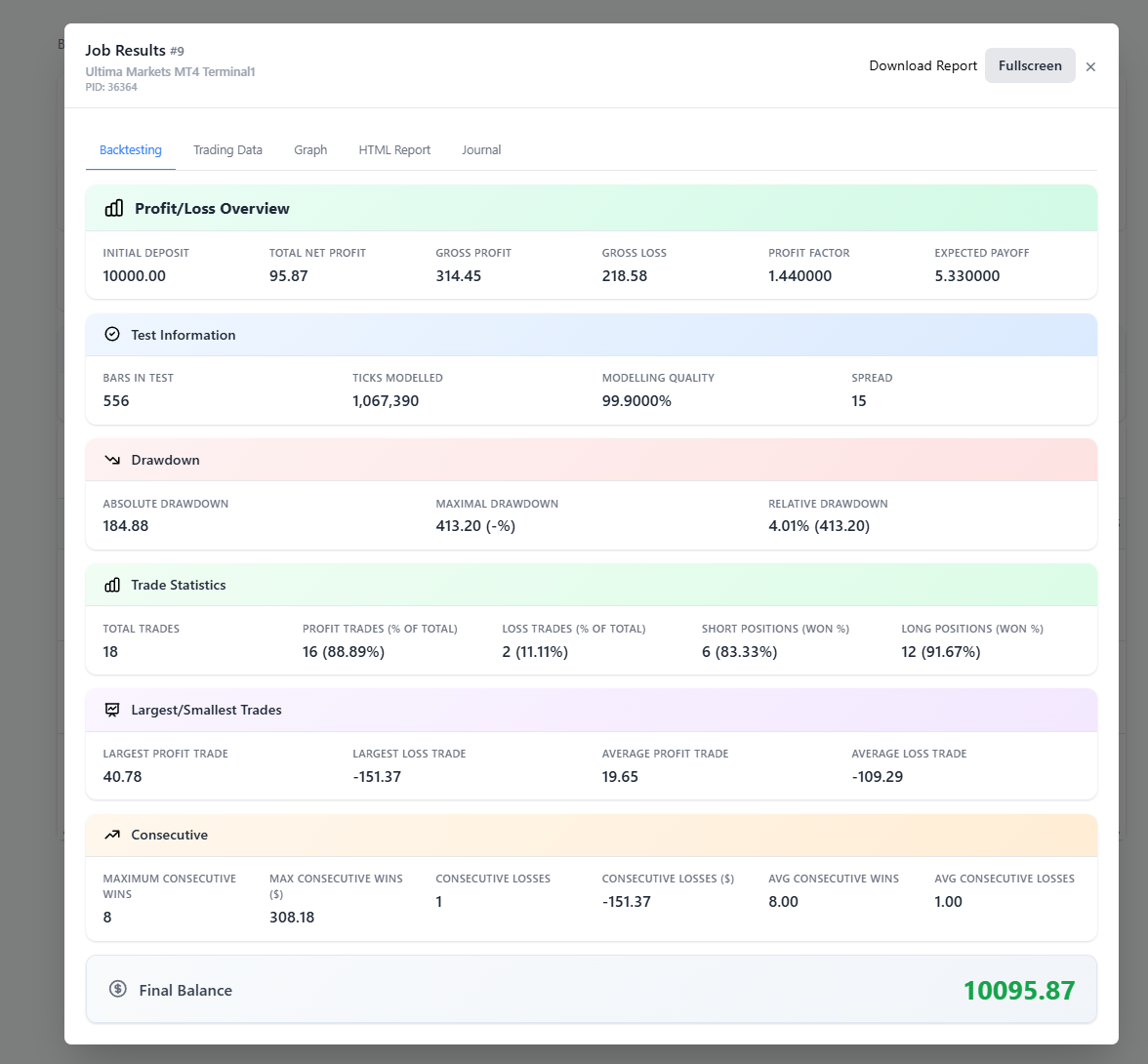
Complete Data Storage
Every local Strategy Tester HTML report, equity curve, and trade journal uploads automatically. Never lose data.
Optimization Parameters
Every MT4/MT5 optimization pass saved with full EA parameters. Create a backtest from any pass when you need detailed metrics.
Loading screenshot...
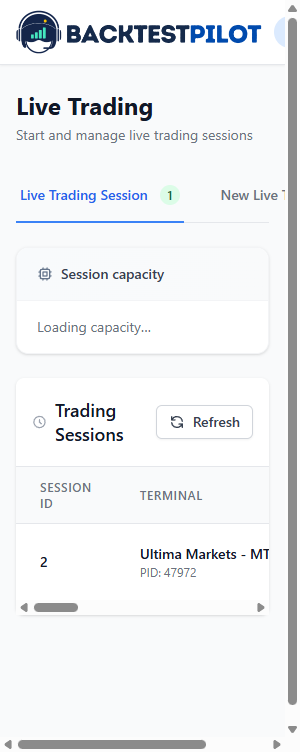
Mobile Live Trading
After local backtesting, launch live trading from your mobile browser. Never miss a trading opportunity.
Loading screenshot...
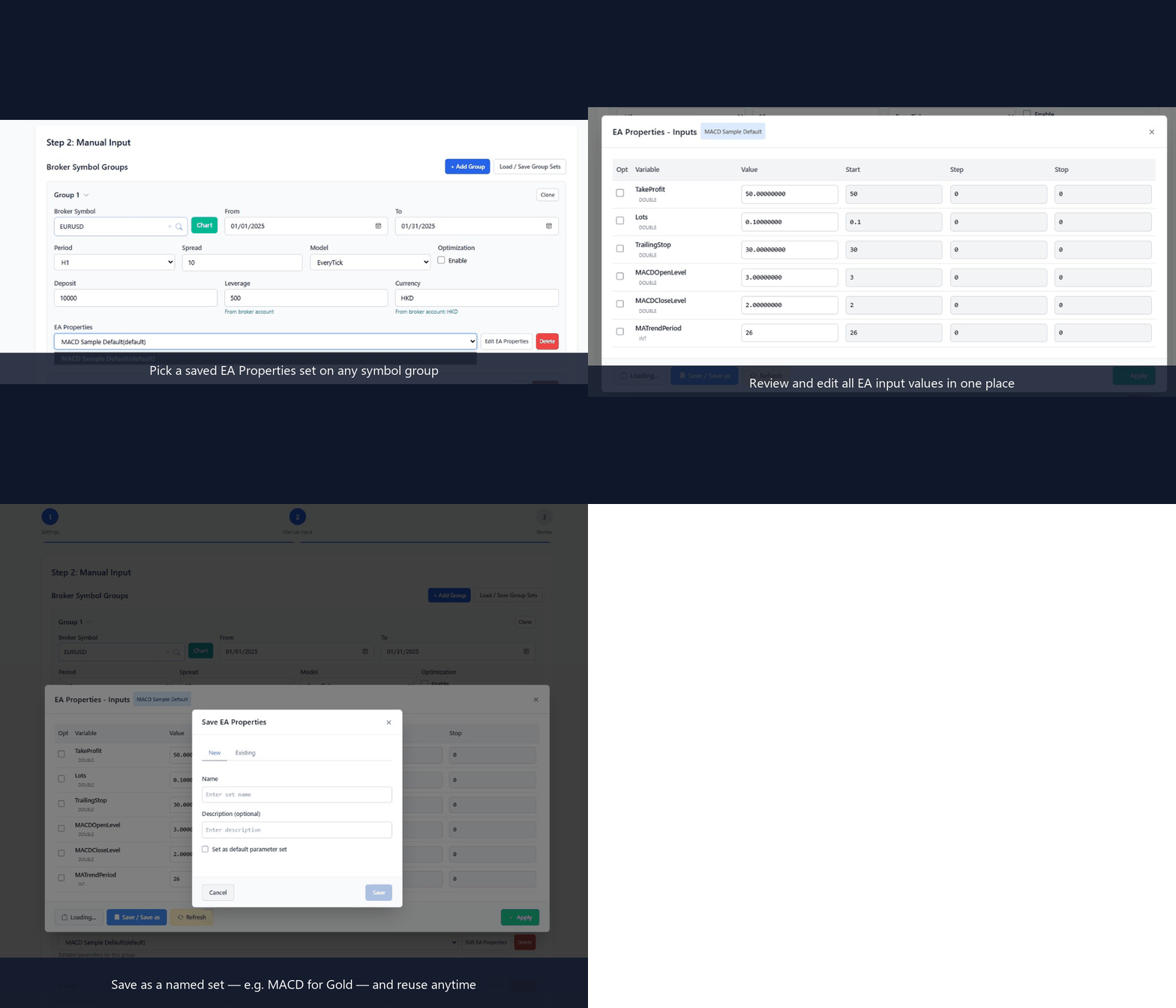
EA Properties Sets
Save multiple named parameter sets for each EA — like “MACD for Gold” vs “MACD for EURUSD” — then load them in one click. Reuse tuned inputs anytime without retyping or losing values.
How It Works
Get started in three simple steps
Create Batch Jobs
Fill in parameters manually or import a CSV file to create multiple MetaTrader backtest jobs at once.
Create Batch Jobs
Fill in parameters manually or import a CSV file to create multiple MetaTrader backtest jobs at once.
Loading screenshot...
Install the Agent
Install the lightweight BacktestPilot Agent on the PC where MT4/MT5 is installed. It drives your local terminals quietly in the background.
Install the Agent
Install the lightweight BacktestPilot Agent on the PC where MT4/MT5 is installed. It drives your local terminals quietly in the background.
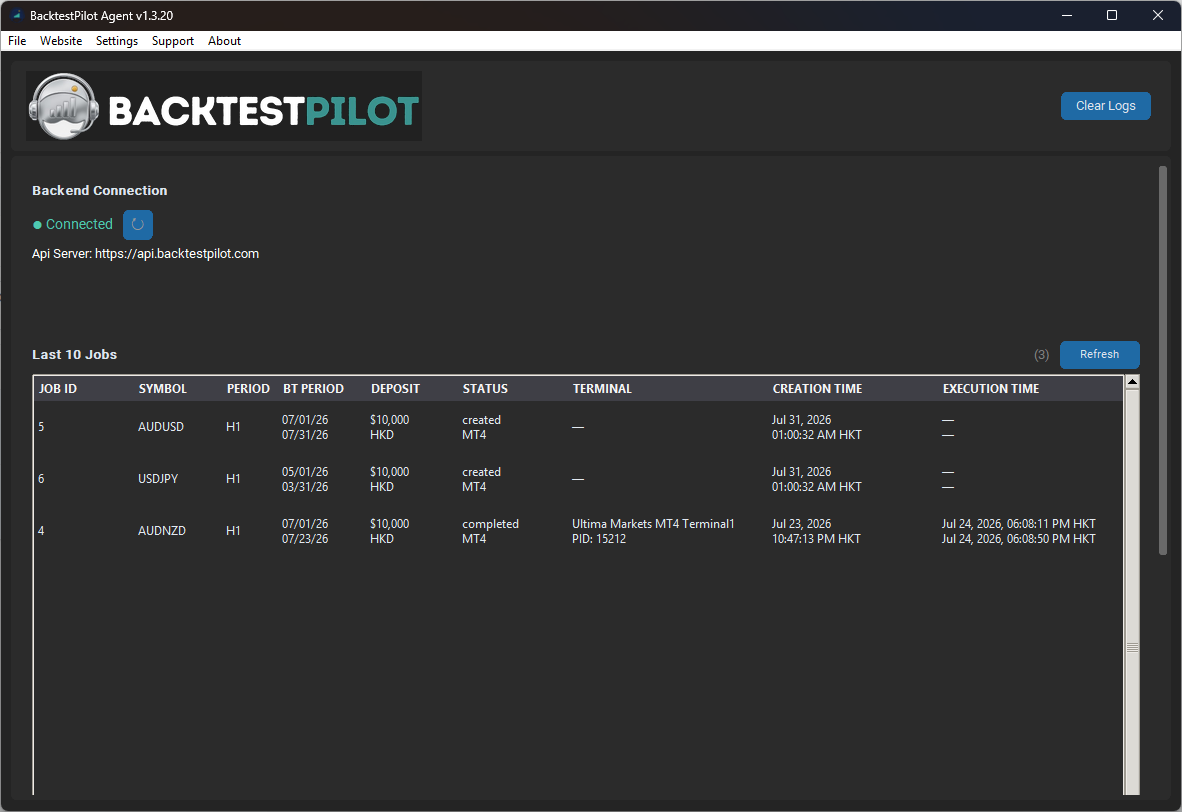
Loading screenshot...
Queue, Run & Archive
Jobs run in your local Strategy Tester. The smart queue assigns work to idle terminals; results auto-upload to the cloud for review anytime.
Queue, Run & Archive
Jobs run in your local Strategy Tester. The smart queue assigns work to idle terminals; results auto-upload to the cloud for review anytime.
Loading screenshot...
Your PC runs the backtests. The website only designs and archives them.
MetaTrader Strategy Tester only runs on Windows. The BacktestPilot Agent is the bridge: the website queues batch jobs; the agent opens your local MT4/MT5 terminals, runs each test, and uploads the reports. Without the agent, jobs have nowhere to execute.
How a batch job runs
- 1
Design on the website
Create a batch on backtestpilot.com: EA, symbols, dates, and parameters.
- 2
Queue to your agent
When your BacktestPilot Agent is online, jobs are assigned to idle terminals on your PC.
- 3
Run locally in MetaTrader
The agent opens MT4/MT5, applies the job settings, and runs Strategy Tester on your machine.
- 4
Archive to the cloud
HTML reports, equity curves, and results upload automatically. Review them from any device.
Loading screenshot...
Why you need to install it
Required to run any batch
The cloud does not execute Strategy Tester. Jobs only run after the agent is installed on your Windows PC.
Opens and closes terminals for you
The agent auto-opens and closes local MT4/MT5 terminals so you are not clicking all day.
Keeps working after you leave
It stays in the system tray and keeps processing jobs after you close the browser.
Runs many terminals in parallel
Use multiple MT4/MT5 terminals on the same PC to finish large batches faster.
Broker passwords stay on your PC
You enter broker passwords only in the BacktestPilot Agent. Our servers never receive, store, or decrypt them — we cannot see or recover your broker password.
Supported Trading Platforms
Automate backtests and optimizations on your local MetaTrader 4 & 5 terminals via the BacktestPilot Agent
MetaTrader 4
Run MT4 Expert Advisors on your PC. Strategy Tester stays local — the BacktestPilot Agent opens terminals, runs jobs, and uploads results to the cloud.
- MQL4 Expert Advisors & .set files
- Batch backtesting on local MT4 terminals
- BacktestPilot Agent auto-opens and closes terminals
- Backtest results auto-upload to the cloud
MetaTrader 5
Full MT5 support including genetic optimization. Strategy Tester runs on your machine; BacktestPilot queues jobs and archives every pass.
- MQL5 Expert Advisors & genetic optimization
- Batch backtesting on local MT5 terminals
- BacktestPilot Agent auto-opens and closes terminals
- Every optimization pass archived to the cloud
Works With the Brokers Traders Use Most
Run automated backtests on your local MT4/MT5 terminals — no matter which broker you trade with.
Can't find your broker? No worries — you can add your own broker in a few clicks. We support all MT4/MT5 brokers.
Show all brokersTrusted by Traders Worldwide
See what our users have to say about BacktestPilot
"93% faster testing. BacktestPilot completely transformed how I develop strategies."

Alex Chen
Prop Trader at AlphaFund
"1,000+ students helped. I now teach algorithmic trading using BacktestPilot."

Sarah Mitchell
Algorithmic Trading Educator
"40+ strategies optimized. Finally, a tool that keeps up with my research pace."

Marcus Rodriguez
Hedge Fund Analyst
What Makes BacktestPilot Different?
Built by traders, for traders. We solve the problems you actually face.
10x Efficiency
Create large job pools and keep every terminal busy without repetitive clicking.
Cloud Control, Local Compute
Design jobs in the cloud. Run them on your MT4/MT5 terminals. Every result auto-uploads for safe long-term access.
Zero Data Loss
Every result archived forever. Never lose a winning parameter set.
Mobile Trading
Launch live trades from your phone in 3 taps when opportunity strikes.
Frequently Asked Questions
Do I need to install anything?
Yes, you'll need to install our lightweight BacktestPilot Agent on the machine where your MT4/MT5 terminals are running. It connects to our cloud service and manages the backtest execution.
Can I use my own broker?
Absolutely! BacktestPilot supports any broker that works with MT4 or MT5. You just need to configure your broker account credentials in the app.
What if I need more terminals?
You can upgrade your plan at any time. Higher tiers give you more parallel terminal connections. The Max plan includes 50 terminals, and Enterprise is unlimited.
Is my data secure?
Yes. We use industry-standard encryption for data in transit. Backtest results and EA files are stored securely. Broker passwords stay on your BacktestPilot Agent PC — our servers never receive or store them. We never share your data with third parties.
Ready to Automate Your Backtests?
Join thousands of traders who run MetaTrader backtests on their own PC — compute stays on your machine.